

Scratch
APK 3.0.66-minSdk26Let's build community together and explore the coolest world of APK Games/Apps.
Scratch APK is a mobile version of Scratch for Android, letting users create games, animations, and stories using simple visual coding blocks anywhere.
Information
How Scratch APK Is Changing the Way Beginners Learn to Code on Mobile Devices
Scratch APK is one of the most searched terms among students, parents, and educators who want a simple way to bring coding into Android devices. Built around the same educational philosophy as the original Scratch platform from MIT, Scratch makes programming accessible through visual blocks instead of complex syntax. On mobile, especially Android tablets, Scratch APK extends that accessibility even further by allowing users to explore coding anywhere, anytime.
This article explores what Scratch APK is, how it works, why it is so widely used in education, and what makes it such a powerful introduction to programming for beginners.
What Scratch APK Actually Is
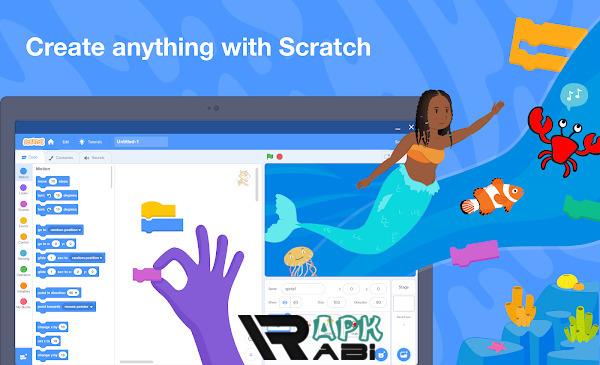
Scratch APK refers to the Android application package of Scratch, designed for use on mobile devices like tablets and Chromebooks running Android. It brings the core Scratch experience into a touch-friendly environment, allowing users to create interactive stories, animations, and games using drag-and-drop coding blocks.
Instead of writing lines of code, users snap together blocks that represent programming concepts such as loops, conditions, events, and variables. Each block performs a specific function, and when combined, they form complete programs.
The idea behind Scratch APK is not just convenience. It is about accessibility. Many students around the world do not have access to computers at home, but they do have Android devices. Scratch APK helps bridge that gap by bringing coding education to mobile platforms.
Advertisement
Why Scratch Has Become a Global Learning Tool
Scratch is not just another coding app. It is a structured learning environment designed by educators and researchers to help beginners understand computational thinking.
At its core, Scratch encourages users to think logically, break problems into smaller parts, and experiment freely. Instead of focusing on memorizing syntax, learners focus on problem-solving.
Scratch is used in schools across different countries because it:
- Encourages creativity through interactive projects
- Teaches logical thinking in a visual format
- Reduces the barrier to entry for programming
- Supports self-paced learning
Scratch APK extends these benefits to mobile users, making it possible for learners to continue projects outside the classroom.
Key Features of Scratch APK
Scratch APK includes most of the essential features found in the desktop version, adapted for touch screens and mobile interaction.
One of the most important features is the block-based coding system. These blocks are categorized by function such as motion, looks, sound, control, sensing, and operators. Each category helps learners understand different programming concepts in a structured way.
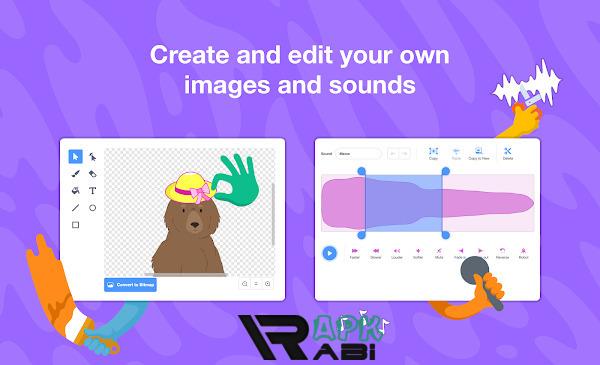
Another key feature is sprite customization. Users can select characters from a built-in library or design their own. These sprites act as the main actors in animations and games.
The app also includes a built-in sound library. Users can add background music, sound effects, or even record their own audio. This makes projects more interactive and engaging.
Scratch APK supports interactive storytelling. Users can create dialogue-driven stories where characters respond to events and user inputs. This helps learners understand event-based programming.
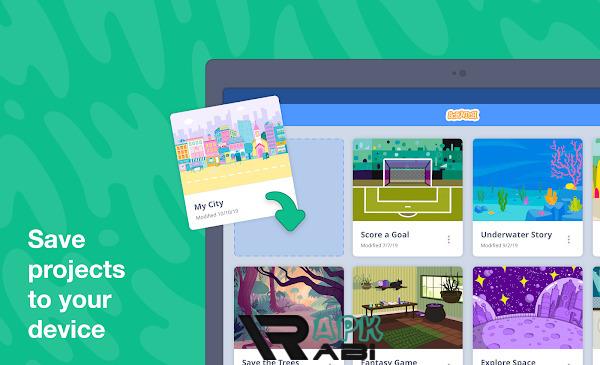
The app also allows project saving and offline creation, which is especially useful for students who do not always have internet access.
Educational Benefits of Scratch APK
Scratch APK is widely recognized in education because it teaches more than just coding. It develops a range of cognitive and creative skills.
One of the biggest benefits is the development of computational thinking. This means learning how to break problems into smaller steps, recognize patterns, and build solutions logically.
It also encourages creativity. Students are not limited to predefined outcomes. They can design games, animations, and interactive stories based on their imagination.
Scratch APK also supports collaboration. Even though mobile usage is often individual, projects can still be shared with peers or teachers when online access is available.
Another important benefit is confidence building. Beginners often find traditional programming intimidating, but Scratch removes that fear by making coding visual and interactive.
For younger learners, Scratch APK can also improve storytelling skills, as many projects involve narrative design, character interaction, and dialogue creation.
Scratch APK on Android Devices
Using Scratch APK on Android devices creates a different experience compared to desktop use. The most noticeable difference is the touch-based interface. Instead of dragging blocks with a mouse, users tap and move elements with their fingers.
This makes coding feel more intuitive for younger users who are already familiar with mobile gestures. However, screen size can influence usability. Tablets generally provide a smoother experience than smaller phones because they offer more space for arranging blocks.
Performance-wise, Scratch APK is optimized for lightweight usage. It does not require high-end hardware, making it accessible for low-cost devices commonly used in schools.
The mobile version maintains the same project structure as desktop Scratch, meaning users can switch between devices without losing their work if they are using an account.
Advertisement
Offline Learning and Accessibility
One of the most practical aspects of Scratch APK is its ability to function offline. This feature is especially important in regions where internet connectivity is unstable or limited.
Offline access allows users to:
- Create new projects without internet
- Edit existing projects
- Practice coding concepts anytime
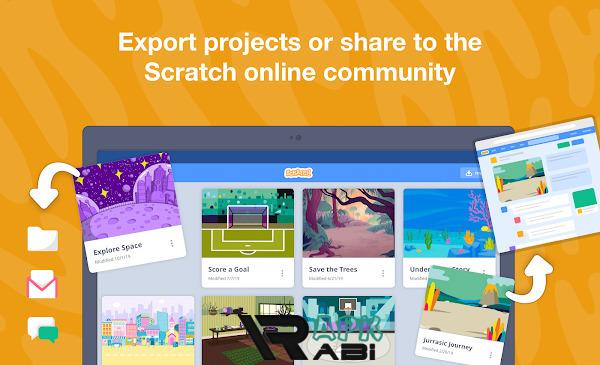
Once internet access is available, users can choose to share their projects with the Scratch community.
This offline capability makes Scratch APK a valuable educational tool in rural areas and developing regions where digital learning resources may be limited.
The Scratch Community and Creative Sharing
Scratch is not just a coding tool. It is also a global community where users share their projects, remix others’ work, and provide feedback.
When connected to the internet, Scratch APK users can upload their projects to the Scratch platform. This opens the door to a collaborative learning environment where users learn from each other.
One unique feature is “remixing,” where users take existing projects and modify them. This encourages experimentation and helps beginners understand how more complex projects are built.
The community aspect of Scratch teaches important digital skills such as collaboration, communication, and constructive feedback.
Understanding Scratch APK Download Searches and User Intent
Many users search for terms like scratch apk download when trying to find the application for Android devices. This reflects a common interest in accessing Scratch on mobile platforms rather than desktop computers.
However, it is important to understand that Scratch is primarily an educational platform developed by MIT, and users should ensure they are using official and safe sources when accessing mobile applications. Educational tools like Scratch are widely distributed through recognized app platforms to ensure security, stability, and proper updates.
This is especially important because unofficial APK files can sometimes carry risks such as outdated versions or modified content that does not reflect the original educational purpose of Scratch.
Scratch APK Compared to Desktop Scratch
While Scratch APK brings many features of the desktop version, there are some differences worth noting.
The desktop version offers a larger workspace, which can make complex projects easier to manage. It is often preferred for advanced users working on detailed games or animations.
Scratch APK, on the other hand, focuses on portability and accessibility. It is designed for learning on the go and is particularly effective for beginners or younger students.
Both versions share the same core programming logic, so skills learned in one environment can easily transfer to the other.
The Role of Scratch in Modern Education
Scratch has become a foundational tool in modern digital education. Many schools introduce it before moving students to text-based programming languages like Python or JavaScript.
The reason is simple. Scratch teaches the logic behind programming without overwhelming learners with syntax errors.
Educators also use Scratch to teach subjects beyond computer science. For example, students can create animations to explain scientific concepts or interactive stories based on historical events.
Scratch APK expands this educational reach by allowing mobile learning, making it possible for more students to participate regardless of device limitations.
Future of Scratch and Mobile Learning
As mobile devices continue to play a central role in education, tools like Scratch APK are likely to become even more important.
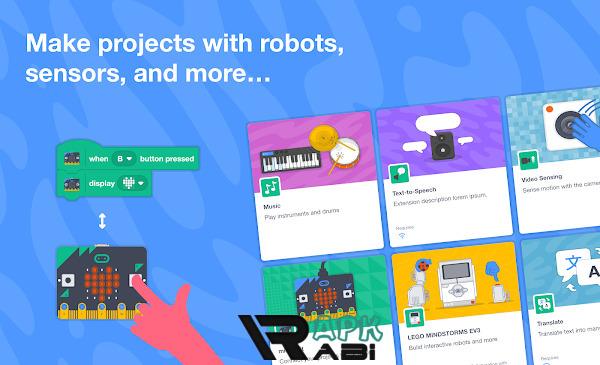
Future developments may focus on improving mobile interfaces, increasing performance on low-end devices, and expanding offline capabilities. There is also growing interest in integrating Scratch with physical computing tools such as microcontrollers and robotics kits.
The direction of Scratch reflects a broader trend in education: making coding accessible, creative, and inclusive for all learners.
Conclusion
Scratch APK represents more than just a mobile application. It is part of a global movement to make programming education accessible to everyone, regardless of age, location, or technical background.
By combining visual coding, creativity, and interactive learning, Scratch helps beginners build a strong foundation in computational thinking. On Android devices, it extends this experience into a portable format that supports both classroom and home learning.
Let's build community together and explore the coolest world of APK Games/Apps.





1. This is the safest site on the Internet to download APK. 2. Don't ask about the Play Protect warning, we've explained it well, check here. 3. Do not spam, be polite and careful with your words.